Everything You Need
18 powerful features to run projects end to end — from boards and views to automations, dependencies, and granular permissions.
Boards
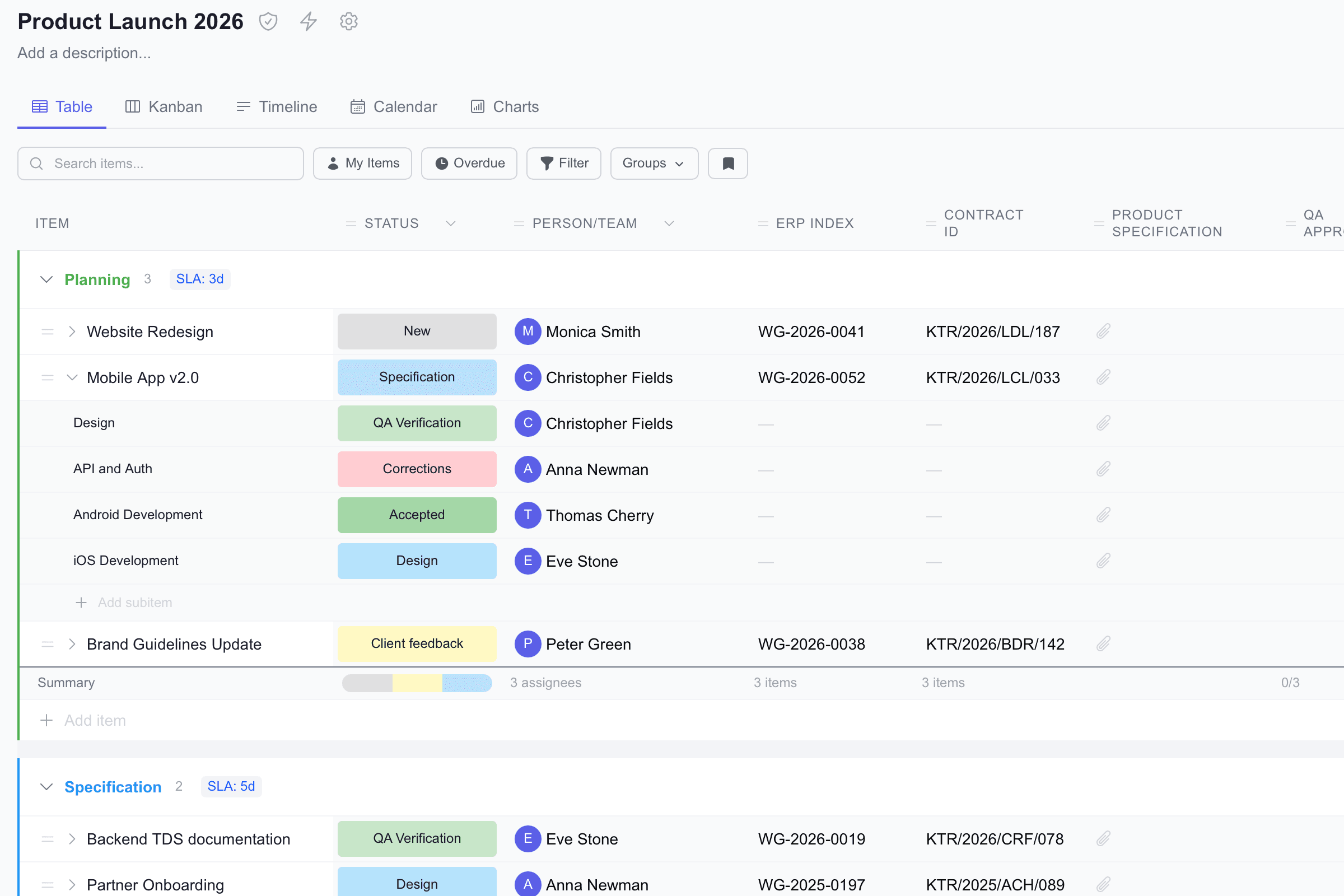
Visual tables with customizable columns for tracking any type of work. Each board is a dedicated workspace with column types like status, person, date, number, text, and more.
Groups
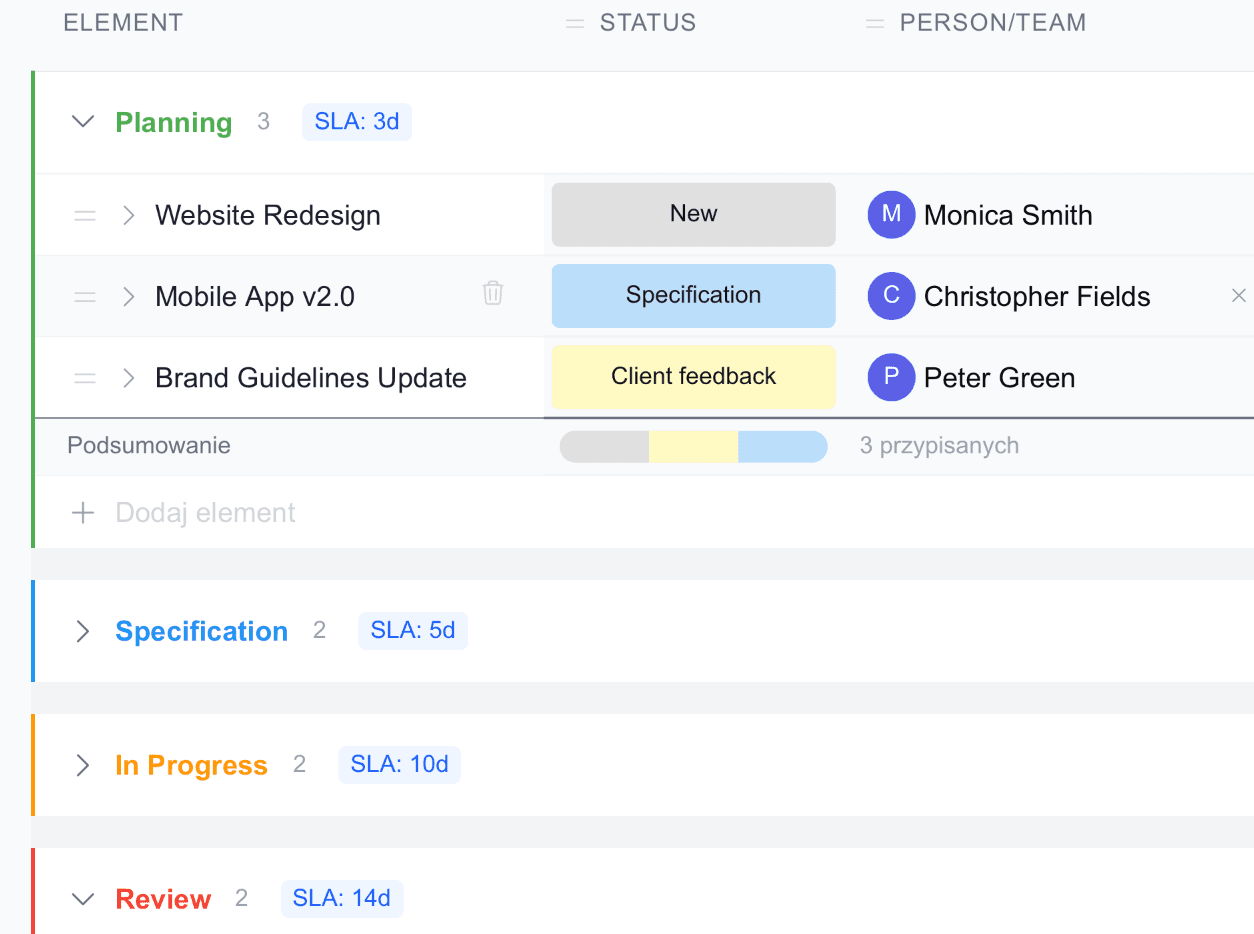
Organize items into clear sections — by phase, category, priority, or any structure that fits your workflow. Collapse, reorder, and color-code groups for instant clarity.
Multiple Views
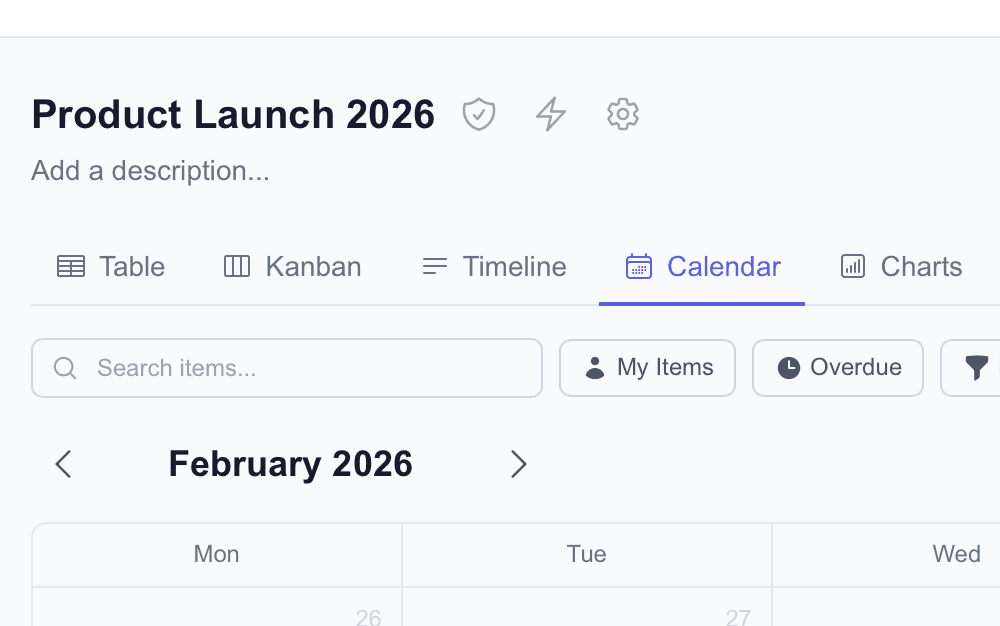
See the same data in five perspectives: Table, Kanban, Timeline, Calendar, and Charts. Switch instantly without duplicating work or losing context.
Status Columns
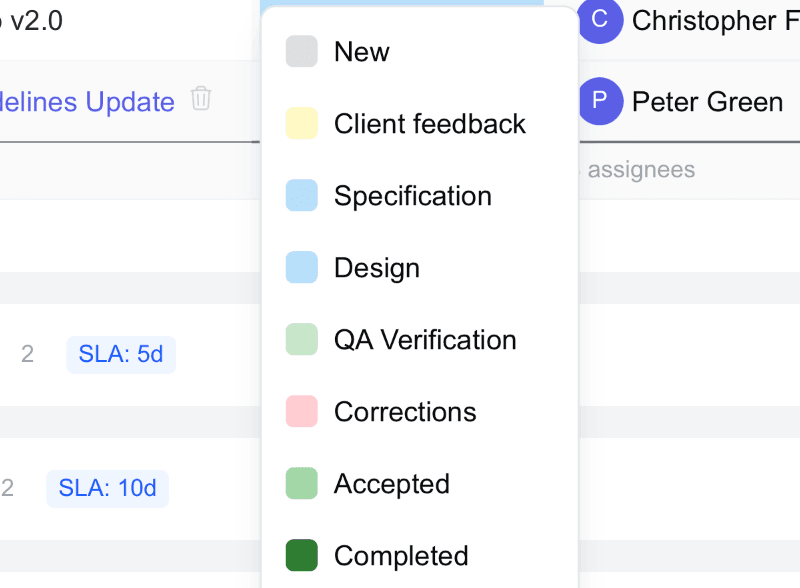
Color-coded status labels are the signature GotaPlan experience. Define your own labels and colors, and track progress at a glance across the entire board.
Person Assignment
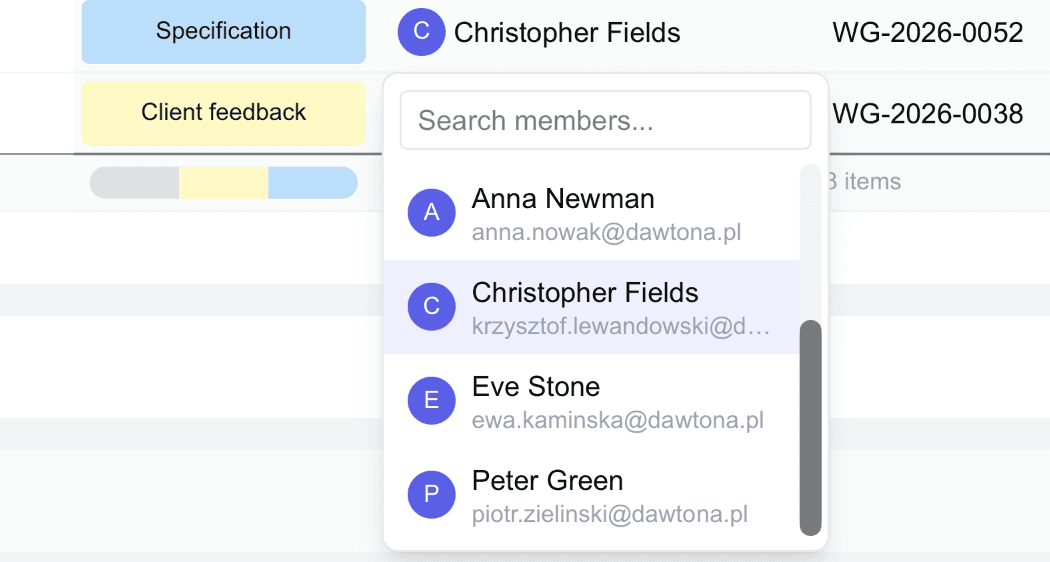
Assign ownership with dedicated person columns. Filter by assignee, see who’s responsible for what, and get notifications when assignments change.
Date & Timeline Columns
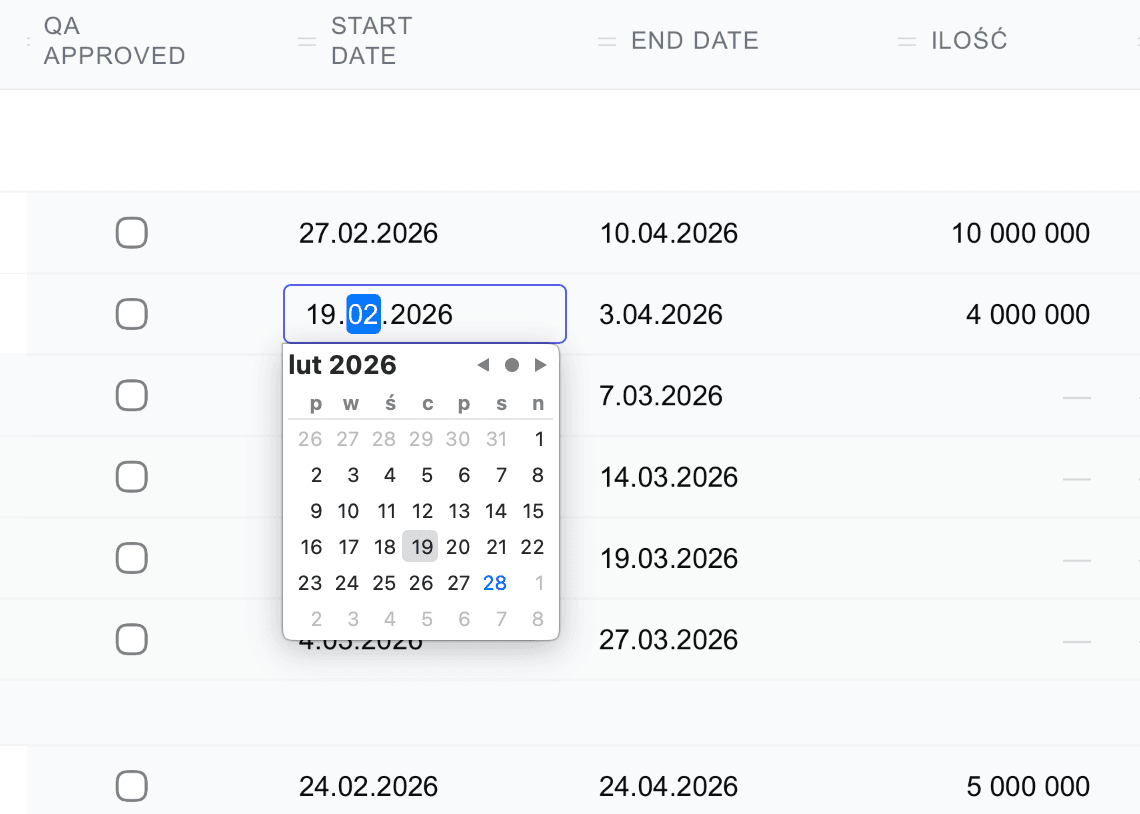
Track deadlines with date columns and plan schedules with timeline (date range) columns. Business-day-aware SLA logic can calculate due dates using your working calendar.
Automations
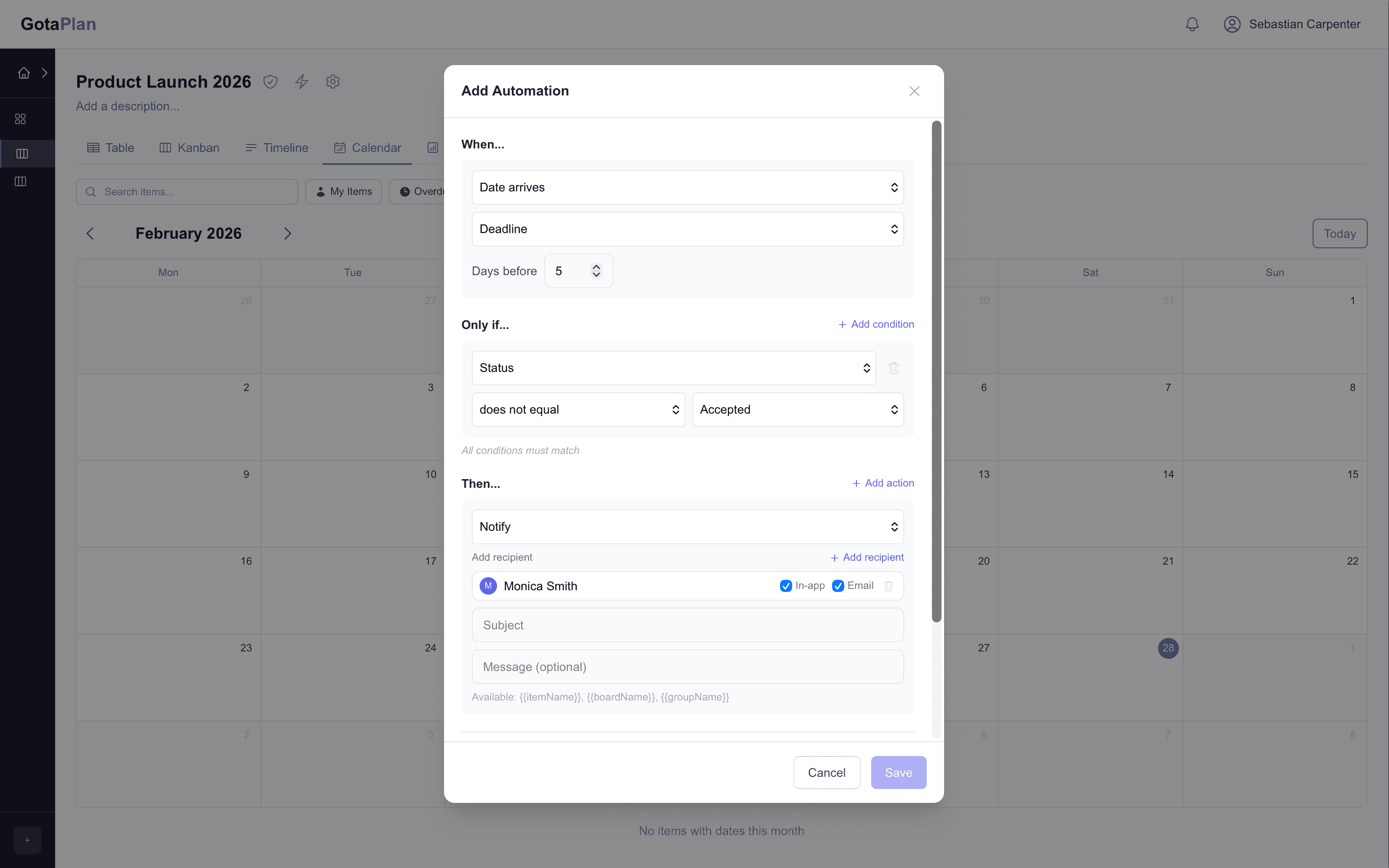
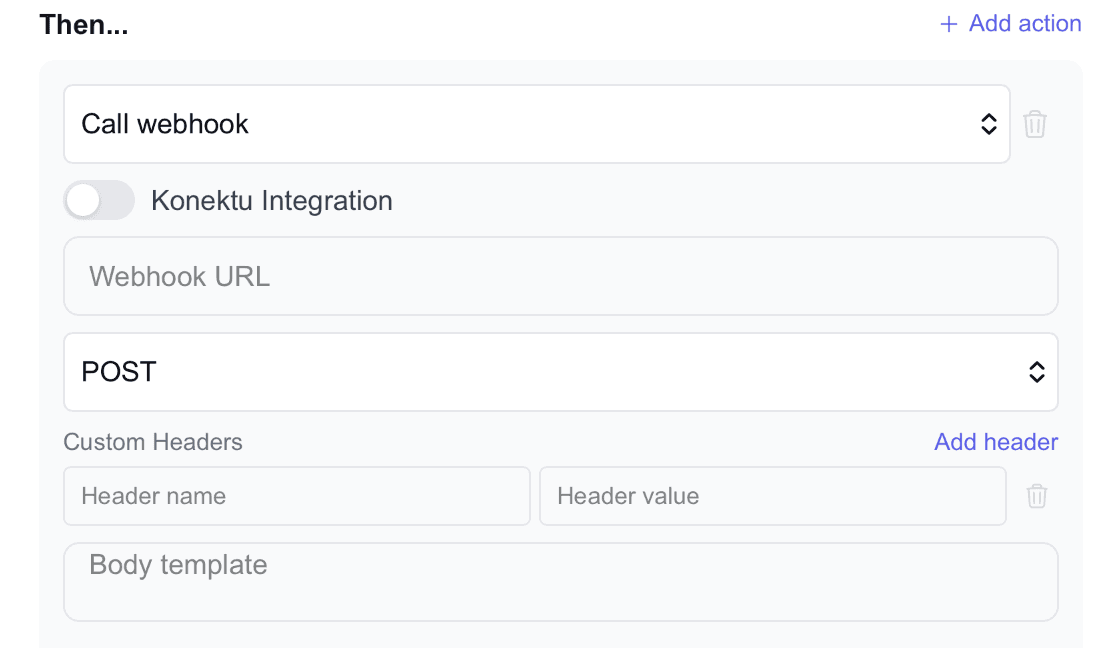
Create no-code rules with a simple “When X happens, do Y” builder. Automate status changes, notifications, assignments, webhooks, and more — triggered by changes, moves, or dates.
Integrations
Connect GotaPlan to external systems via the konektu integration platform. Sync data through webhooks and APIs, automate cross-tool workflows, and keep systems aligned.
Updates & Comments
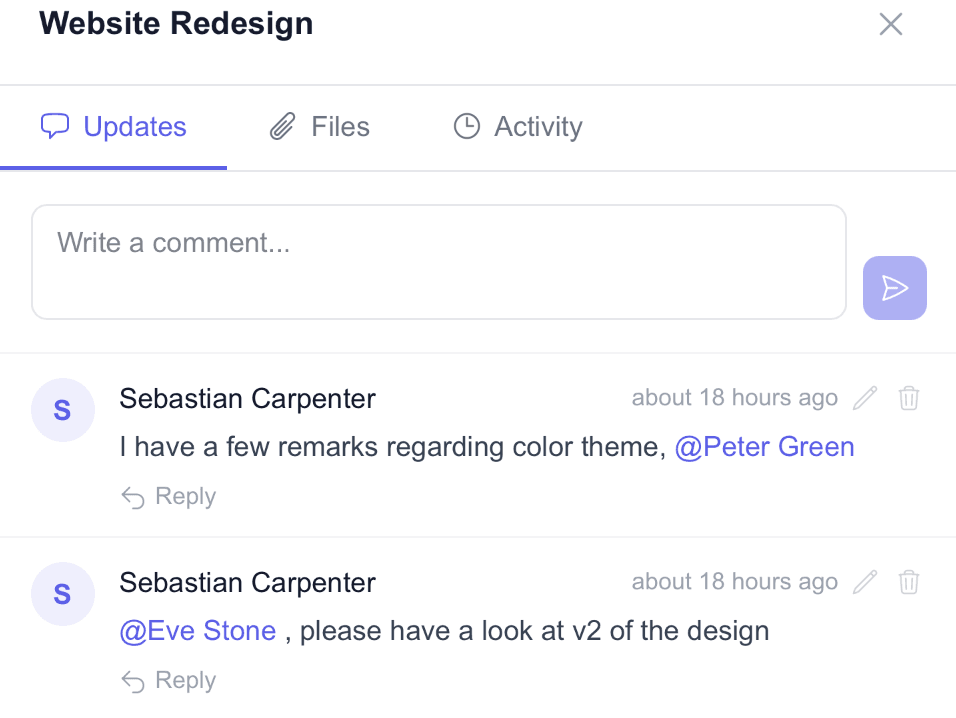
Threaded discussions on every item. Use @mentions to notify teammates, attach files directly in comments, and keep all context in one place — without losing the conversation.
Dashboards
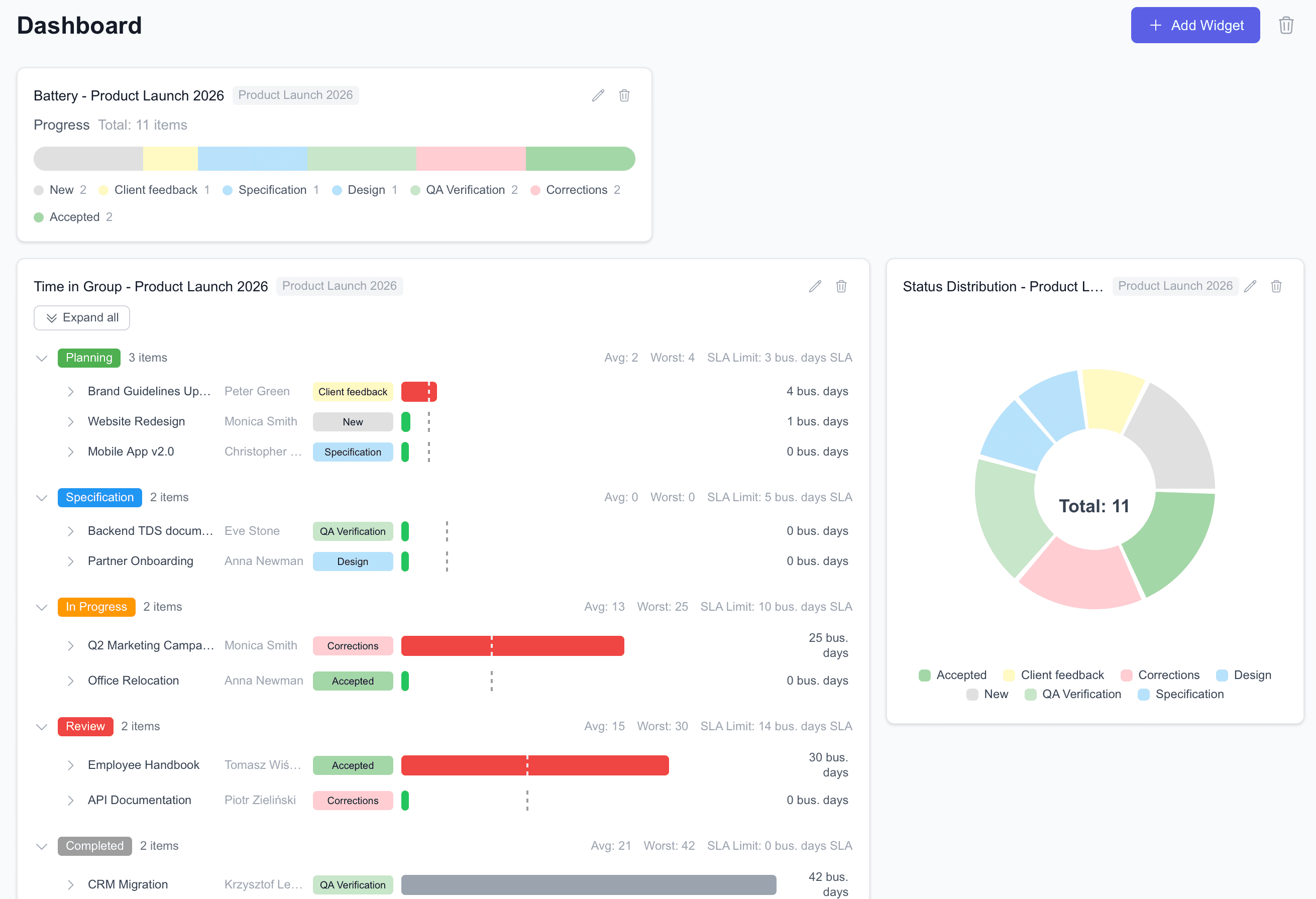
Combine data from multiple boards into dashboards. Add charts, counters, progress widgets, and summaries — for leadership overviews or team-level focus.
Subitems
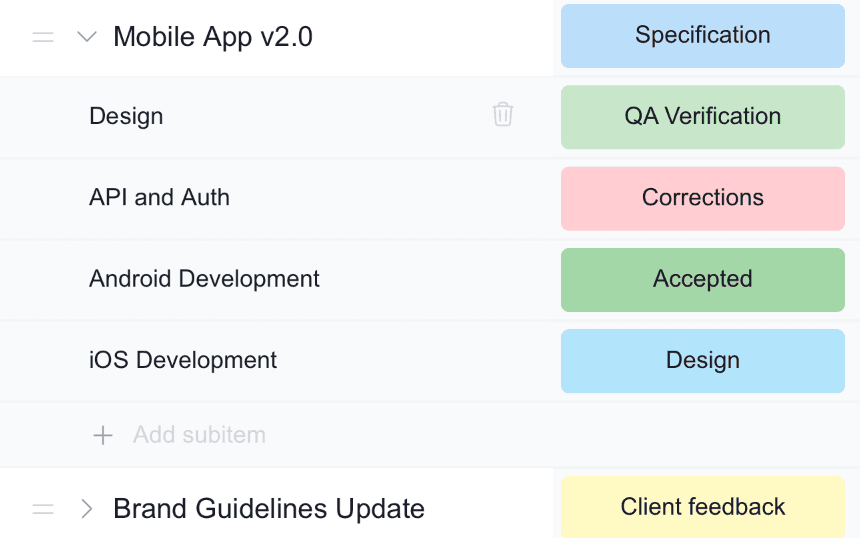
Break complex work into sub-tasks with a one-level hierarchy. Subitems follow the parent structure, making it easy to track the parts of a bigger deliverable.
Templates
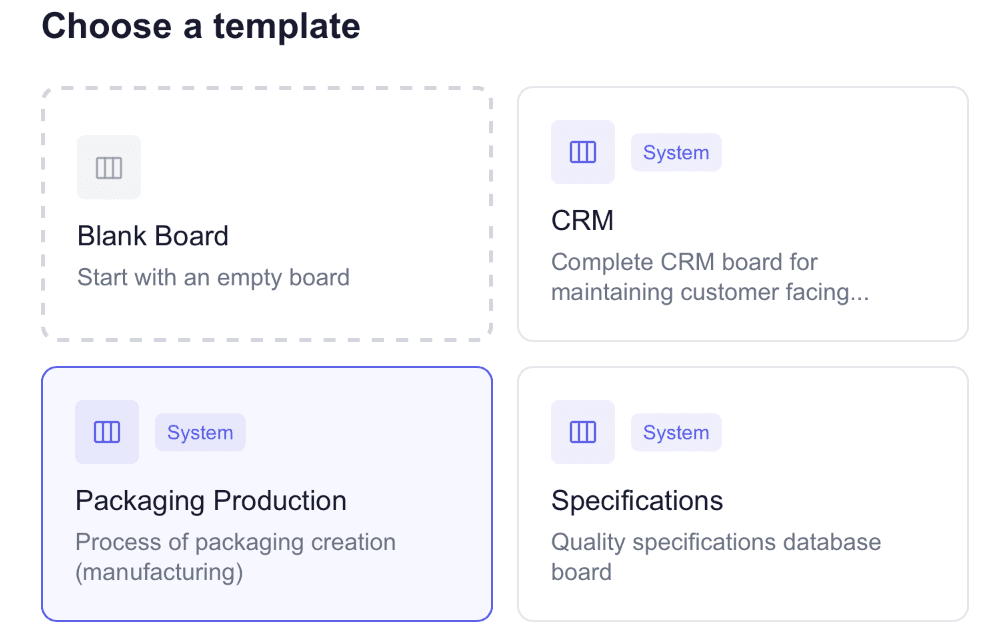
Create new boards instantly with built-in templates for common workflows (production tracking, CRM, sprint planning), and save your own boards as reusable templates.
Permissions & Workspaces
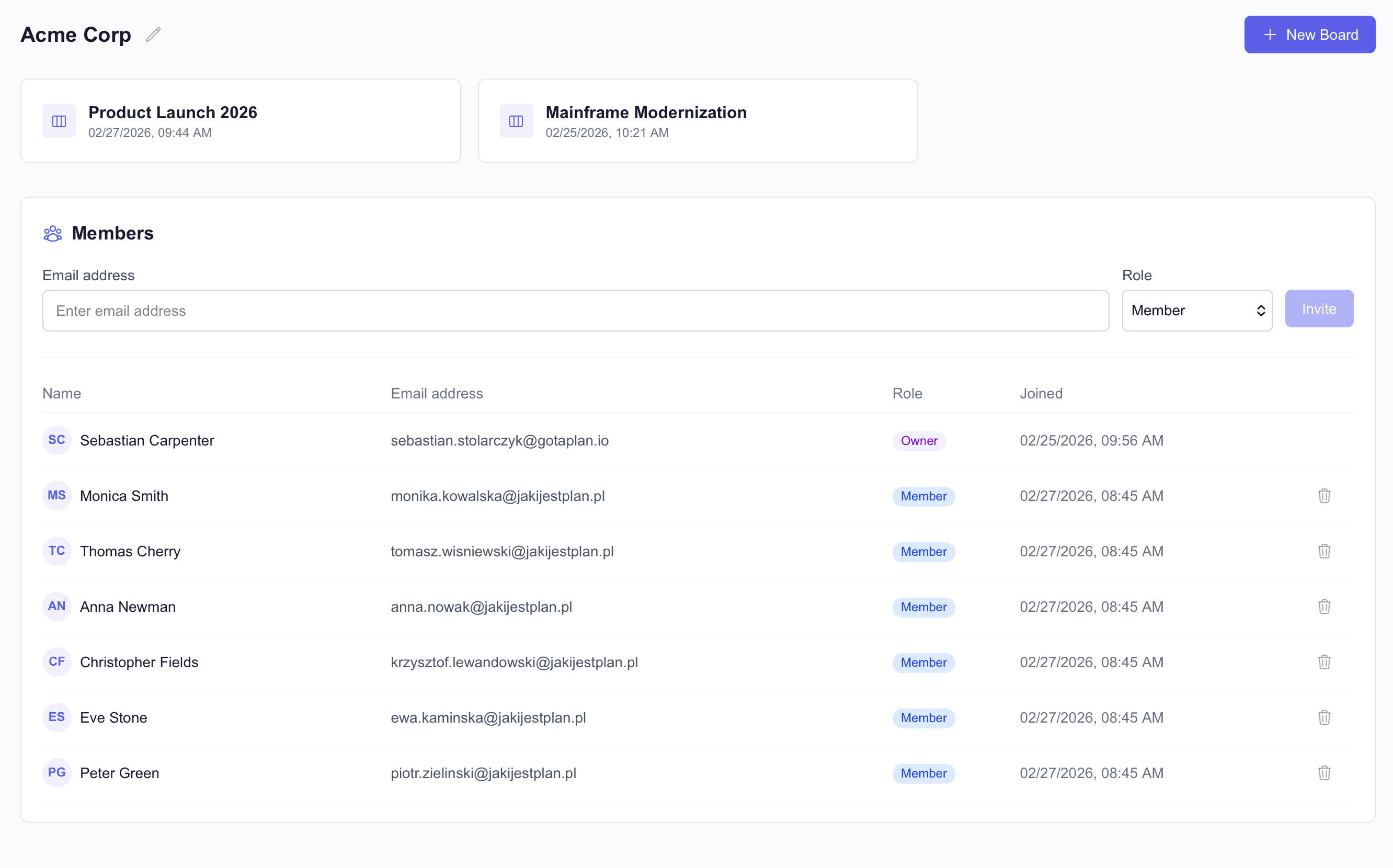
Organize teams into workspaces with role-based access. Invite users as Owners, Admins, Members, Viewers, or Guests. Each workspace has its own boards, members, and settings.
By-Cell Permissions
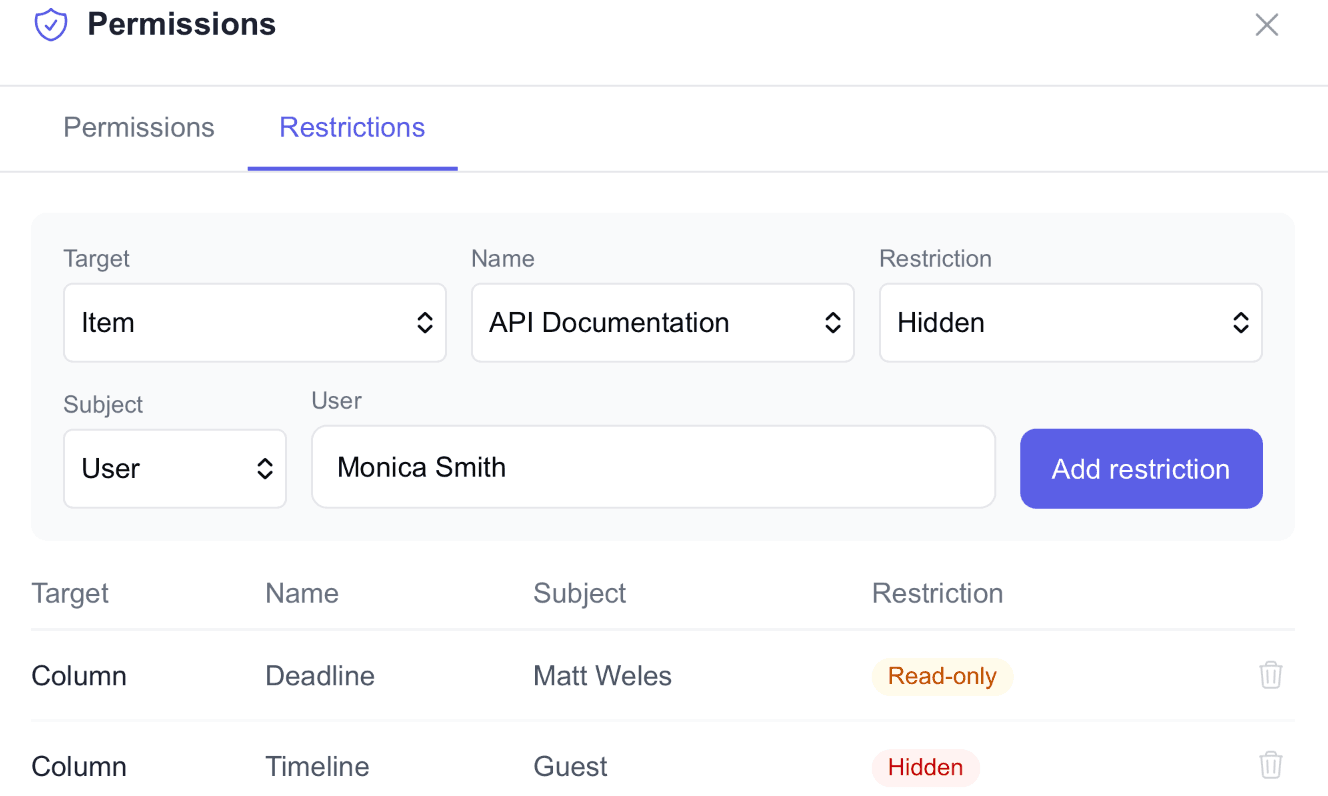
Lock down access at a fine level — per column, group, or item. Mark areas as read-only or hidden for selected roles or users. Owners and Admins always bypass restrictions.
Activity Log
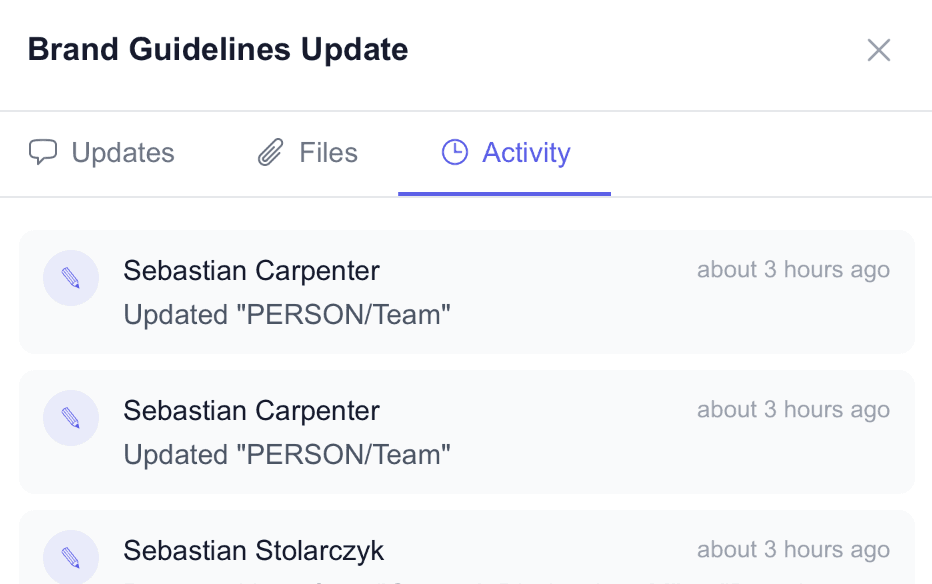
A complete audit trail of who changed what and when. Every cell update, item creation, status change, and file upload is logged — filter by user, date range, or action.
Aging Group Chart
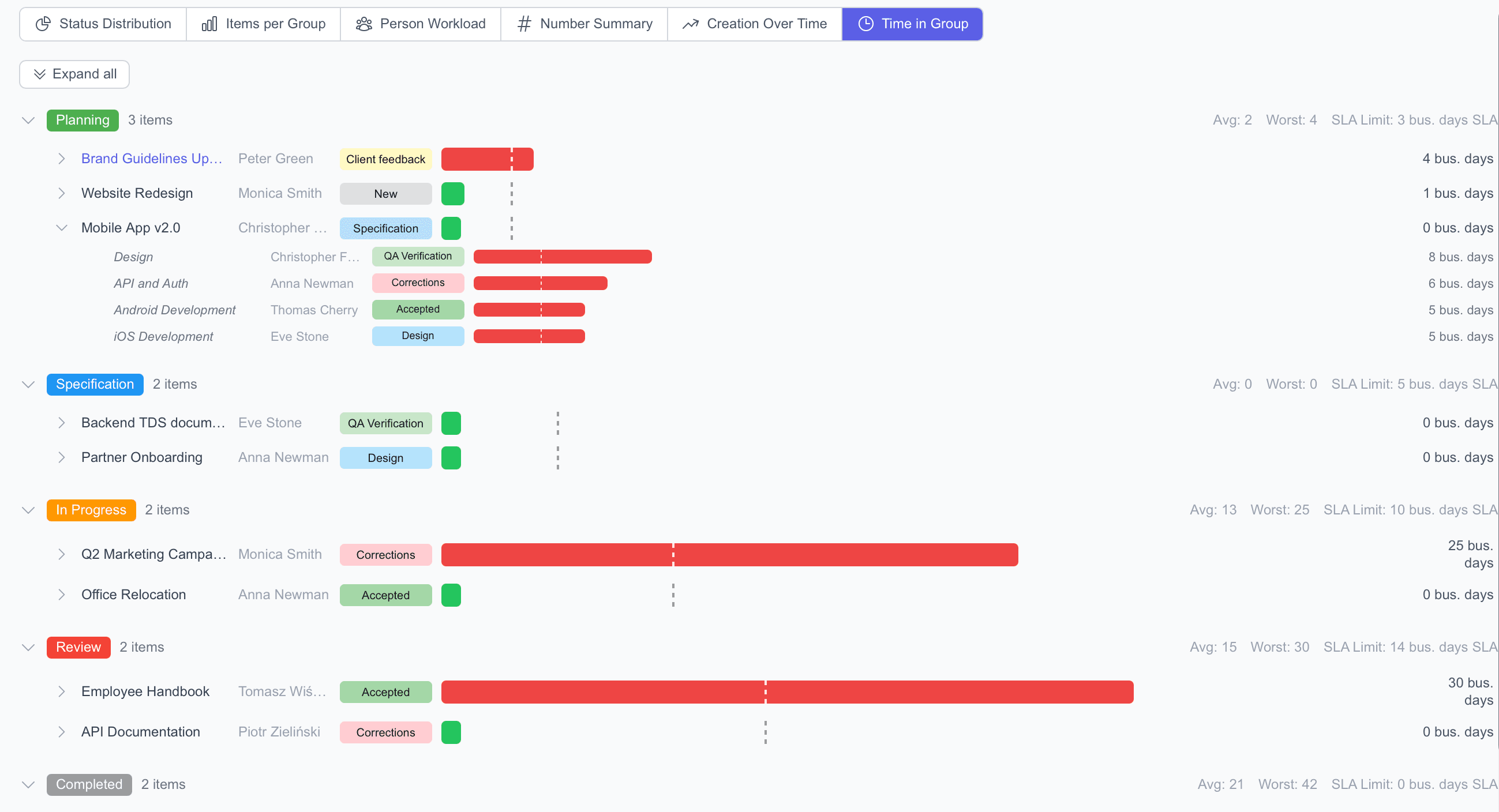
A visual view of how long items stay in each group or phase. Spot bottlenecks early, see where work gets stuck, and improve flow over time.
Dependency Columns
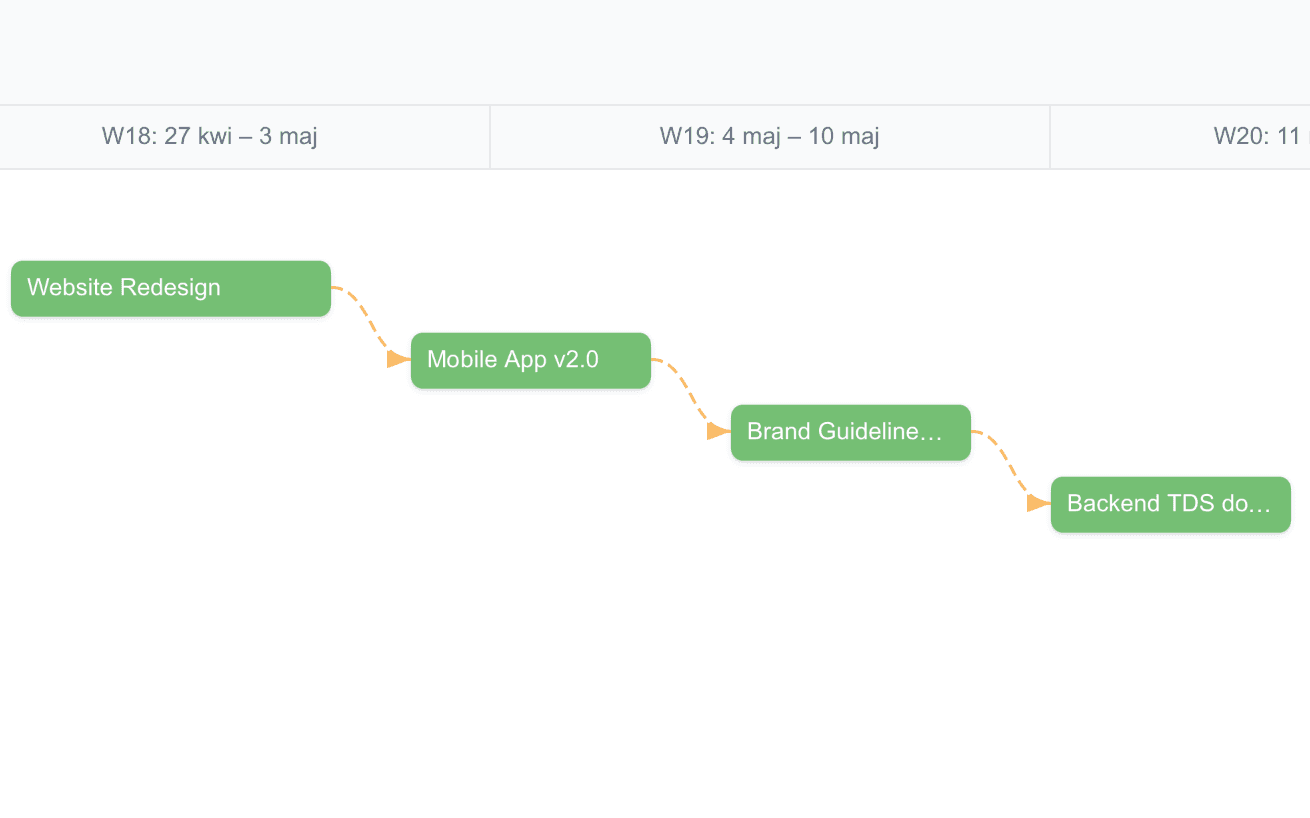
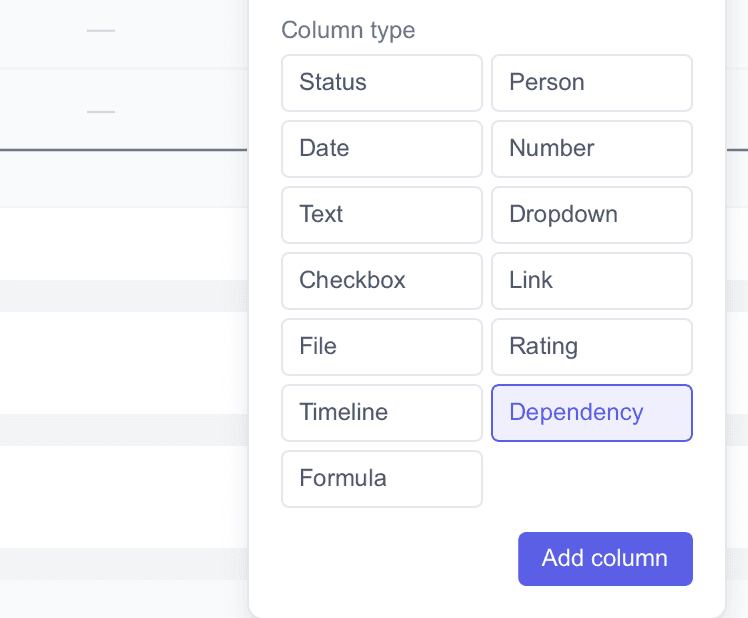
Track “blocked by” and “blocking” relationships between items with four dependency types (FS, SS, FF, SF) and configurable lag time. Visual arrows on the Timeline show connections with conflict highlighting in red.
Automatic Date Cascading
When a predecessor’s dates shift, all dependent items update automatically. Choose Strict mode (shift entire chain by delta) or Flexible mode (prevent overlaps only). Set it per board — or leave it off for manual control.